hands-on labIDE in your browserfree

Ask the Customer: input() and Numbers That Arrive as Text

Bean There's till stops using fixed numbers and asks the customer: input() for the name and the order, int() and float() for numbers that arrive as text, a price typed in pounds turned into exact pennies, and names tidied however people type them.

time
25 min
checked steps
5
level
Beginner
setup
None

Freeone of 170+ labs in Pro

free · no account needed to start

The job

Until now every order was typed into the script. This morning the till gets an order screen: it asks each customer their name and what they'd like, and works the total out from the answers. You answer in the terminal yourself, or let customer.py play the customer.

5 steps, each checked when you finish it

A check runs your work at the end of every step. Hints and the full solution are there if you get stuck.

  1. 1

    input() asks, someone answers

    Bean There's till is getting an order screen.

    read this step below ↓

  2. 2

    Numbers arrive as text

    Next the till asks how many flat whites.

  3. 3

    A price typed in pounds

    Sam changes prices from the back office, and Sam types them the way people say them: 3.25, in pounds.

  4. 4

    The whole order

    Back to order.py.

  5. 5

    Names as people type them

    Priya typed her name the way people do on a small screen: two spaces, all lower case, a space at the end.

The lab, step by step

The free lab’s own text, every step of it. Hints and solutions stay inside the lab.

Step 1: input() asks, someone answers

Bean There's till is getting an order screen. Its first line is already in order.py:

name = input("Name: ")

input shows its question, waits for someone to type an answer and press Enter, then gives back what they typed. Here the answer goes into the variable name.

Press Run now. The terminal shows Name: and waits for you: type Sam in the box under the terminal and press Enter. Nothing else happens yet, because the script doesn't do anything with the name. That's your job:

Name: Sam
Hello, Sam! What can I get you?

Under the input line, print the greeting with the name in it, then press Run and answer again. Check answers as two different customers.

order.py, the file you edit5 lines
# Bean There's order screen. input() shows its question, waits for an answer and gives it back.
name = input("Name: ")

# TODO (Step 1): greet the customer by name:
#   Hello, Sam! What can I get you?

Step 2: Numbers arrive as text

Next the till asks how many flat whites. Here's a first try, and what it does when the customer answers 2:

flat_whites = input("Flat whites: ")
print(flat_whites * 3)        # 222

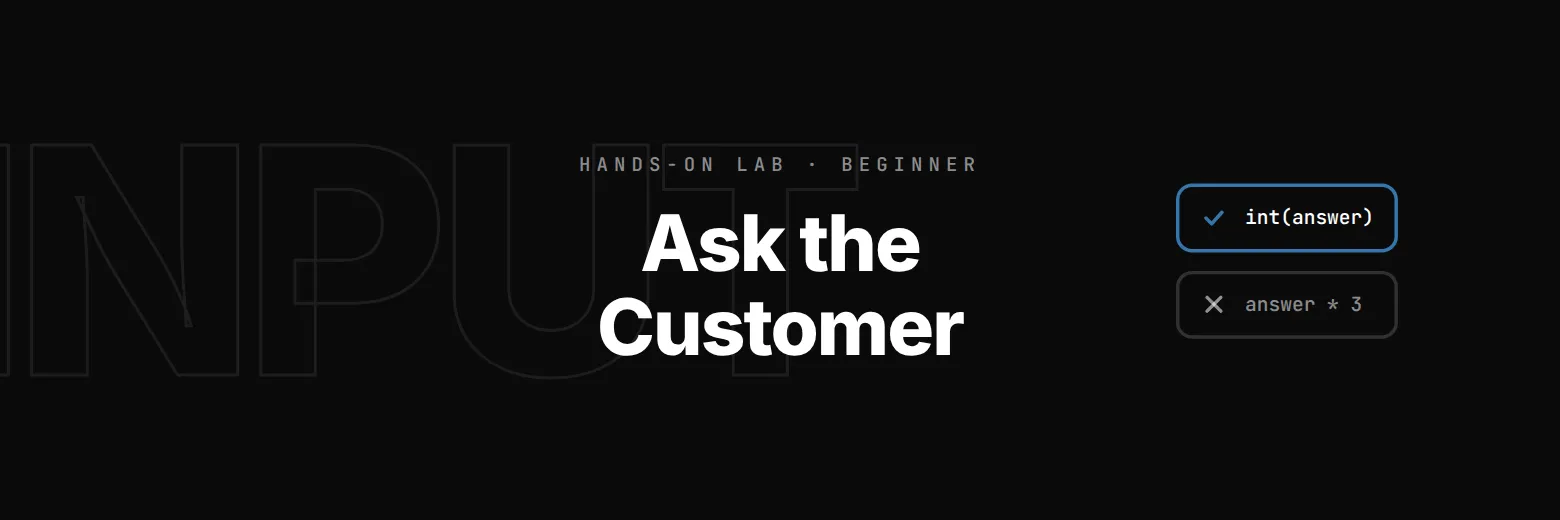
Not 6: 222. Whatever someone types, input gives it back as text (a string), and * on text repeats it. To do sums, turn the text into a number first with int, which reads a whole number:

flat_whites = int(input("Flat whites: "))
print(flat_whites * 3)        # 6

In order.py, after the greeting, ask Flat whites: and print what they come to, worked out in pennies from FLAT_WHITE and printed the way the Receipt quest taught:

Name: Sam
Hello, Sam! What can I get you?

Flat whites: 2
2 flat whites come to £6.40

Then break it. Press Run and answer the flat whites question with two. Python stops with a traceback whose last line reads:

ValueError: invalid literal for int() with base 10: 'two'

Read it from the end: a ValueError means the value was the wrong kind of thing, and the message says int() couldn't read 'two' as a number. Level 2 shows how a till checks an answer before using it. For now, answer with digits.

order.py, the file you edit9 lines
# Bean There's order screen. Prices are in whole pennies: 320 means £3.20.
FLAT_WHITE = 320
CROISSANT = 245

name = input("Name: ")
print(f"Hello, {name}! What can I get you?")

# TODO (Step 2): ask "Flat whites: ", turn the answer into a whole number, and print:
#   2 flat whites come to £6.40

Step 3: A price typed in pounds

Sam changes prices from the back office, and Sam types them the way people say them: 3.25, in pounds. The till keeps pennies. There's a new file for this, price.py.

int("3.25") gives a ValueError, because int only reads whole numbers. float reads numbers with a point: float("3.25") is 3.25. Times 100 is the pennies, but floats come out a hair off, and int doesn't round, it just cuts off what's after the point:

print(4.35 * 100)          # 434.99999999999994
print(int(4.35 * 100))     # 434, a penny short
print(round(4.35 * 100))   # 435

round gives the nearest whole number, which is what a price means. In price.py, ask for the new price and print it both ways:

New flat white price: 3.25
Flat white: 325 pennies, £3.25

Press Run and type a price. The check types 4.35 among others, so the penny has to be right.

price.py, the file you edit5 lines
# Sam's back office: a new price typed in pounds, kept by the till in whole pennies.

# TODO (Step 3): ask "New flat white price: ", turn the answer into whole pennies (round it),
# and print:
#   Flat white: 325 pennies, £3.25

provided for you:order.py

Step 4: The whole order

Back to order.py. A customer orders flat whites and croissants, so the till asks three questions, in this order: the name, then flat whites, then croissants. Then it says the total:

Name: Sam
Hello, Sam! What can I get you?

Flat whites: 2
Croissants: 1
Total for Sam: £8.85

The total line replaces the "flat whites come to" line.

Typing three answers every time you press Run gets old, so Run now uses customer.py, which plays a customer: python3 customer.py Sam 2 1 answers Sam, 2 and 1 for you. To serve someone else, type it yourself in the terminal with other answers, for example python3 customer.py Alex 1 3. You can still type python3 order.py and answer the questions yourself.

order.py, the file you edit13 lines
# Bean There's order screen. Prices are in whole pennies: 320 means £3.20.
FLAT_WHITE = 320
CROISSANT = 245

name = input("Name: ")
print(f"Hello, {name}! What can I get you?")

flat_whites = int(input("Flat whites: "))
pennies = flat_whites * FLAT_WHITE
print(f"{flat_whites} flat whites come to £{pennies // 100}.{pennies % 100:02d}")

# TODO (Step 4): ask "Croissants: " too, and replace the flat whites line with the order's total:
#   Total for Sam: £8.85

provided for you:customer.py

Step 5: Names as people type them

Priya typed her name the way people do on a small screen: two spaces, all lower case, a space at the end. Run it:

Name:   priya shah
Hello,   priya shah ! What can I get you?

The till repeats exactly what came in. You tidied names for cup labels in your first quest: .strip() takes the spaces off both ends and .title() gives every word a capital. Tidy the name as it arrives, so every line after uses the tidy one:

Hello, Priya Shah! What can I get you?
...
Total for Priya Shah: £14.50

The quotes in Run's command keep Priya's spaces: ' priya shah ' is one answer. The check serves four customers who typed their names four different ways, and tells you how many came out right.

order.py, the file you edit13 lines
# Bean There's order screen. Prices are in whole pennies: 320 means £3.20.
FLAT_WHITE = 320
CROISSANT = 245

name = input("Name: ")
print(f"Hello, {name}! What can I get you?")

flat_whites = int(input("Flat whites: "))
croissants = int(input("Croissants: "))
total = flat_whites * FLAT_WHITE + croissants * CROISSANT
print(f"Total for {name}: £{total // 100}.{total % 100:02d}")

# TODO (Step 5): tidy the name as it arrives, so "  priya shah " becomes "Priya Shah" everywhere.

provided for you:customer.py

what you get

  • An editor and terminal in your browser
  • A check at the end of every step
  • Hints and the full solution
  • Nothing to install or configure

before you start

  • The Receipt: whole pennies, // and %, :02d

Part of the Learn Python track

Lab 3 of 15. Learn Python by running a café till: receipts, orders, discounts and the Friday rush. Nothing to install.

Questions about this lab

Why does input() give me text when I type a number?

input() always returns exactly what was typed, as a string. int() or float() turns that string into a number you can do sums with.

Do I need to install anything?

No. Python runs right in your browser, and you answer the questions in the lab's terminal.

What you do in this lab

You make a script ask questions with input() and answer them in the terminal. You find out why a number typed by a person arrives as text, turn it into a whole number with int() or a price with float() and round(), read the ValueError Python gives for an answer it can't use, and tidy names however people type them.