Model Context Protocol (MCP): Build a Tool Server
Hosted
Beta

Model Context Protocol (MCP): Build a Tool Server

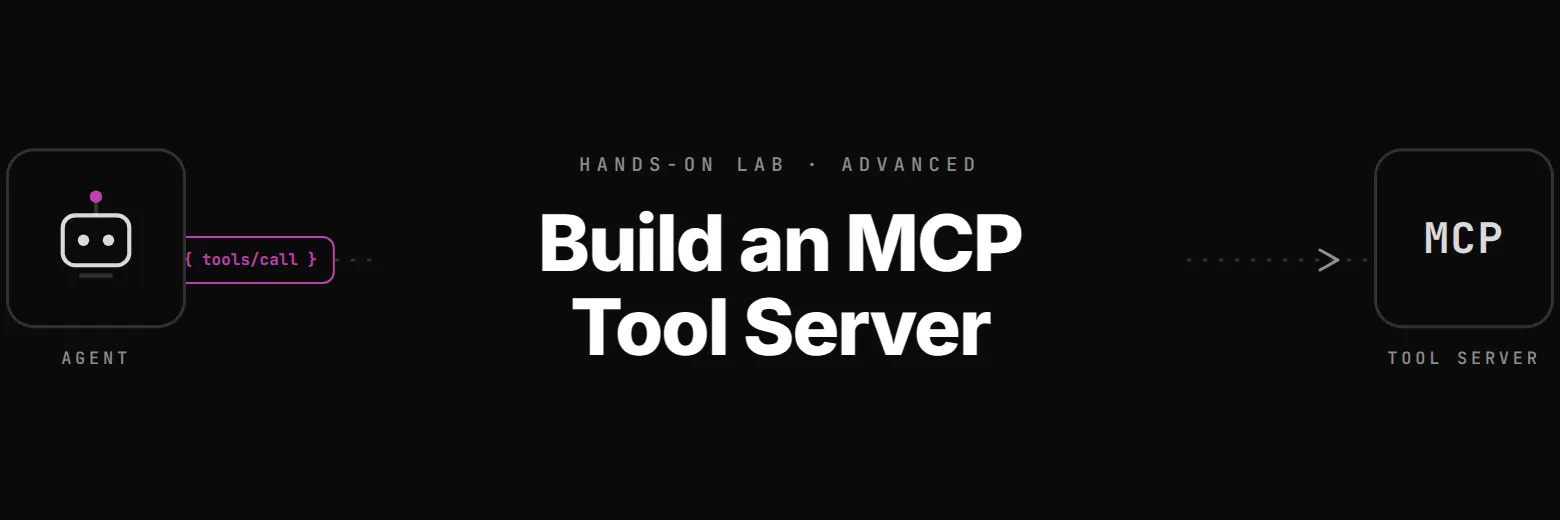
Build a Model Context Protocol server that exposes your company's tools and data — then connect a LangChain agent to it. Learn how MCP decouples tools from agents, when to use MCP vs Anthropic Skills vs native @tool, and why MCP is the emerging standard for AI tool interop.

40 min·6 steps·3 domains·Advanced·ncp-aai

What you'll learn

  1. 1
    Why MCP Exists: The N×M Problem
    Every LLM agent needs tools — look up a user, query a database, call an API. Without a standard, every agent re-implements every tool:
  2. 2
    Build Your First MCP Server
    The official mcp Python SDK is correct but low-level. FastMCP is the high-level framework built on top of it — decorator-based, no boilerplate. If you've used FastAPI, FastMCP will feel familiar.
  3. 3
    Connect a Client (Direct Call, No Agent)
    An MCP client and server talk JSON-RPC messages over a transport. For stdio:
  4. 4
    Full Server with Tools + Resources
    A minimal server with one tool is enough to teach the protocol, but production MCP servers typically expose:
  5. 5
    Agent + MCP: End-to-End
    Everything so far has been infrastructure. Now the agent actually uses the MCP server — discovers tools at startup, the LLM decides when to call them, results flow back through the protocol.
  6. 6
    Decision Framework: MCP vs Skills vs @tool
    You now have hands-on experience with MCP. But MCP isn't the only option — and it isn't always the right one. Production agent engineers routinely choose between three patterns:

Prerequisites

  • Completed Lab 1 (ReAct Agent with NIM) or equivalent
  • Comfort with Python decorators and async/await
  • Familiarity with JSON-RPC or stdio-based protocols helps (not required)

Exam domains covered

Agent Architecture and DesignAgent DevelopmentNVIDIA Platform Implementation

What you'll build in this MCP tool server lab

Model Context Protocol is the tool-interop standard that Claude Desktop, Claude Code, Cursor, Windsurf, LangChain agents, and OpenAI's Agents SDK all speak — and MCP server skills are becoming a hiring-relevant signal for platform engineers building AI infrastructure in 2026. This lab builds an MCP server from scratch on FastMCP, connects direct and LangChain clients to it, then pits MCP against Anthropic Skills and native @tool in a decision framework you can point at in an architecture review. You finish with a working server, a client that speaks the raw protocol, a LangChain agent consuming MCP tools alongside native ones, and concrete intuition for when each abstraction fits. Everything runs against NVIDIA NIM endpoints we provision.

The substance is tool decoupling. You internalise why MCP flips the N×M problem (M agents re-implementing N tools) into N+M (write each tool once, every client plugs in). You build server_basic.py with a @mcp.tool-decorated check_account(email) served over stdio, then write a direct client that spawns the server as a subprocess, completes the initialize handshake, lists tools via tools/list, and calls tools/call with no LLM in the loop so the protocol is visible. You expand to server_full.py with three tools plus a read-only Resource and an HTTP transport, then wire a LangChain agent via langchain-mcp-adapters. You also internalise Tools versus Resources (Tools are invocable with side effects, Resources are read-only data surfaces authorised differently) and stdio versus HTTP (stdio when colocated, HTTP the moment you share across hosts or teams).

Prerequisites: Python decorators and async/await, the react-agent-nim lab or equivalent LangChain exposure, and a rough sense of JSON-RPC. The hosted environment ships with mcp, fastmcp, langchain-mcp-adapters, and the LangChain NIM integration preinstalled, running against our managed NIM proxy — no keys, no GPU provisioning. About 40 minutes of focused work. You leave with an MCP server, a direct client that round-trips tools/call, an MCP-consuming LangChain agent, a hybrid agent mixing MCP tools with native @tool, and a decision framework (Skills vs MCP vs native tools) you can cite when the next design debate lands.

Frequently asked questions

How is MCP different from just exposing tools as a REST API?

A REST API is a bespoke contract; MCP is a standardised envelope. Any MCP client — Claude Desktop, Claude Code, Cursor, LangChain, a random TypeScript app — can connect to any MCP server without per-integration code, because the protocol defines initialize, tools/list, tools/call, resources/list, resources/read, and prompts/list uniformly. You also get typed tool schemas, capability negotiation, and a notification channel built in. Think of it as 'LSP for agent tools': the same reason every editor can use every language's analyser once they all speak the Language Server Protocol.

When should I pick stdio transport versus HTTP?

Stdio when the server and client are colocated and the trust boundary is 'this process spawned that process' — Claude Desktop and Cursor both use stdio by default, and it's what Step 2 and 3 of the lab use. Stdio has no network surface, no TLS config, and trivial auth ('you can launch the binary, you can use it'). Pick HTTP when the server needs to be shared across processes, hosts, or teams — a company-wide MCP server for CRM access, for instance. The protocol is identical in both cases; you just swap the transport binding and add OAuth / bearer auth on the HTTP side.

What's the difference between an MCP Tool and an MCP Resource?

Tools are invocable functions with potential side effects — create_ticket(subject, body), update_record(id, fields). Resources are read-only data surfaces the agent can fetch by URI — a policy document, a product catalogue, a team roster. The distinction matters because clients authorise them differently: Claude Desktop will happily load Resources into context automatically but prompts the user before calling Tools. The lab includes one Resource alongside the three Tools so you see both halves of the protocol and the authorisation consequences.

Do MCP servers have to be written in Python?

No — MCP is a wire protocol, not an SDK. Servers exist in TypeScript (Anthropic's reference), Python (mcp / fastmcp, used here), Rust, Go, C#, Swift, and others. The lab uses FastMCP because its decorator API is the fastest path to a working server and because Python is the default for agent teams, but the exact same client code in Step 3 would talk to a TypeScript server with zero changes. That portability is the whole point — it's why Anthropic pushed a protocol rather than yet another library.

Should I use MCP or LangChain's native @tool decorator?

Use @tool when the tool is tightly coupled to one agent and implemented in the same repo — it's zero-overhead, type-safe, and trivial. Reach for MCP when the tool needs to be shared across multiple agents, especially agents owned by other teams or written in other languages. The hybrid-agent step is deliberate: real production systems use both. Inner-loop tools that only this agent calls stay as @tool; company-wide capabilities (account lookup, KB search, ticketing) become an MCP server everyone plugs into. The final decision framework step formalises the split.

How is MCP different from Anthropic Skills?

Skills are higher-level: a Skill bundles instructions, resources, and often a set of MCP tools into a named capability the agent can load on demand (for example 'financial-report-drafting' skill that activates a specific prompt, a set of reference files, and three related tools). MCP is the tool-and-data transport; Skills sit on top and orchestrate which MCP servers and prompts should be active for a given task. The decision framework in Step 6 walks through the trade: Skills when you want packaged, reusable capabilities; raw MCP when you want maximum flexibility and are wiring the agent yourself.