hands-on labin your browser

Build an AI Agent 3 Ways: ReAct vs Tool Calling vs Plan-and-Execute

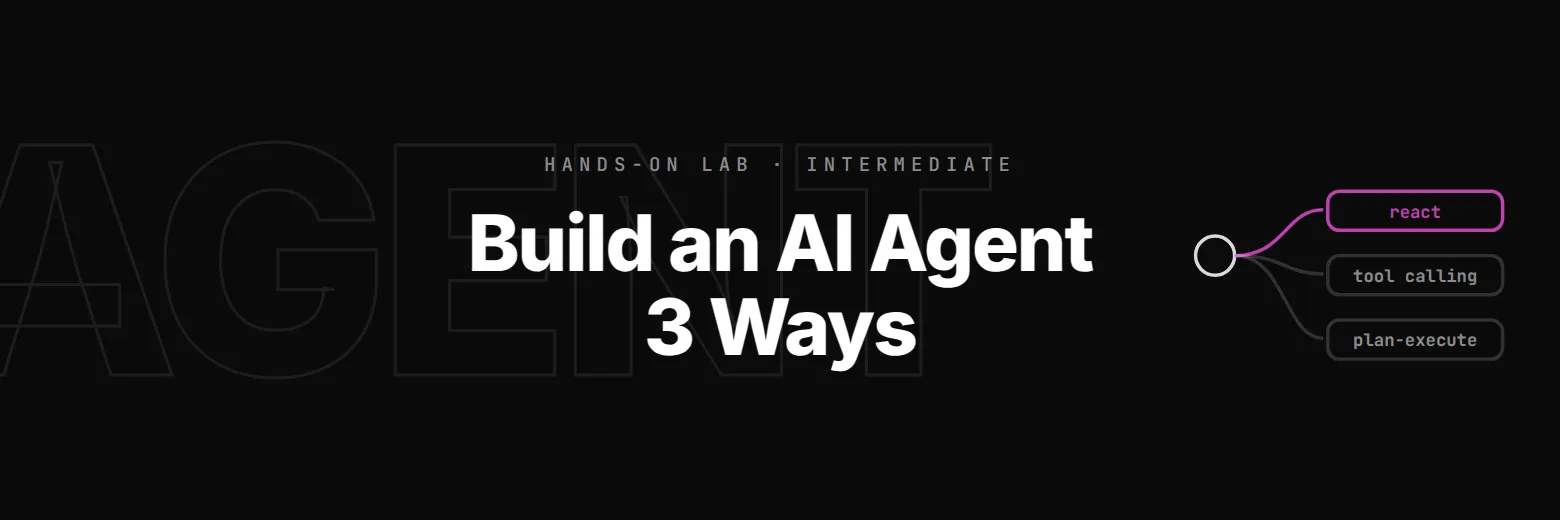
Build the same SaaS support agent three ways, as ReAct, direct tool calling and plan-and-execute, then compare speed, reasoning quality and reliability to learn when each fits.

time
35 min
checked steps
6
level
Intermediate
setup
None

$29.99a month with Pro

Pro opens all 6 steps of this lab and every other lab. Cancel any time.

no account needed · Pro opens all 6 steps

See Pro plans
Lab cockpit35 min · 6 stepsSession running
5 / 6 steps passingDecision Framework: When to Use Which Pattern · step 6 of 6
decision_framework.py▶ Run✓ Check
from plan_execute_agent import plan_execute_invoke llm = ChatNVIDIA(    base_url="http://nim-proxy.labs.svc:8080/v1",    model="meta/llama-3.3-70b-instruct",    temperature=0,) def classify_query(query: str) -> str:               
TerminalOutput
step 6 of 6, replayed: Decision Framework: When to Use Which Pattern. The code, the output and the check are the lab's own.

The job

You're building the AI backend for Acme SaaS, a B2B software company. Their support team handles 500+ tickets/day, account lookups, pricing questions, integration troubleshooting, and ticket creation. You've been asked to prototype an AI support agent.

The catch: the engineering lead wants to see three different architectures before committing to one. Each must use the same tools but implement a different reasoning strategy. Your job is to build all three, benchmark them on the same test queries, and recommend which pattern fits which use case.

By the end of this lab, you'll have:

What you'll buildPatternHow it reasons
react_agent.pyReActThink → Act → Observe → Repeat
tool_calling_agent.pyDirect Tool CallingLLM picks tools → Execute → Respond
plan_execute_agent.pyPlan-and-Execute (ReWOO)Plan all steps → Execute in batch → Synthesize
benchmark.pyComparison harnessSame queries across all 3, timed and scored

6 steps, each checked when you finish it

A check runs your work at the end of every step. Hints and the full solution are there if you get stuck.

  1. 1

    The Support Tools

    All three agent patterns will use the same tools, this is critical for a fair comparison.

    read this step below ↓

  2. 2

    Pattern 1: ReAct Agent

    ReAct is the most widely used agent pattern.

  3. 3

    Pattern 2: Direct Tool Calling

    Direct tool calling is simpler than ReAct.

  4. 4

    Pattern 3: Plan-and-Execute (ReWOO)

    ReWOO (Reasoning WithOut Observation) flips the ReAct pattern on its head.

  5. 5

    Benchmark: Comparing the Patterns

    You now have three agents that solve the same problem differently.

  6. 6

    Decision Framework: When to Use Which Pattern

    You've built and benchmarked all three patterns.

Step 1 as it appears in the lab

The lab’s own text. The hint and the solution stay inside the lab.

Step 1: The Support Tools

Building the shared tool layer

All three agent patterns will use the same tools — this is critical for a fair comparison. The tools represent real SaaS support operations:

The Acme SaaS scenario

Acme SaaS sells a project management platform. Their support agent needs to:

  • Look up customer accounts by email (subscription tier, seat usage, billing)
  • Search the knowledge base for product info (pricing, features, policies)
  • Create support tickets when issues need human follow-up

These tools simulate a real support stack. In production, they'd call your CRM API, search a vector database, and POST to your ticketing system.

Why the same tools matter

The whole point of this lab is comparing reasoning strategies, not tool implementations. By keeping the tools identical across all three agents, we isolate the variable: how the LLM decides when and in what order to call tools.

Your task

Create tools.py with three tool functions decorated with @tool:

check_account(email: str) -> str

  • Simulates a CRM lookup. Takes an email, returns account details.
  • Use the provided ACCOUNTS dictionary for mock data.
  • Return "No account found" for unknown emails.

search_kb(query: str) -> str

  • Performs semantic search over the knowledge base using Milvus (the vector DB you used in Lab 2).
  • Embed the query with embedder.embed_query(query), then search Milvus for the top 2 results.
  • Return the matched article texts joined with newlines. Return "No results found" if nothing matches.
  • This is real RAG-style retrieval — it understands meaning, not just keywords. "Is my data safe?" will match the security article even without the word "security".

create_ticket(subject: str, priority: str, description: str) -> str

  • Simulates creating a support ticket. Takes subject, priority (low/medium/high), and description.
  • Returns a confirmation with a mock ticket ID.

Test all three tools with the provided test cases.

NCP-AAI exam note: Tool design is tested in the Development domain (15%). Key concepts: tools must have clear docstrings (the LLM reads them to decide when to call), input types should be simple (strings, not complex objects), and tools should return structured information the LLM can reason about. Notice how search_kb wraps a full RAG pipeline (embed → vector search → return) inside a single tool — this is the standard production pattern.

tools.py, the file you edit102 lines
# Shared tools for all three agent patterns
from langchain_core.tools import tool
from langchain_nvidia_ai_endpoints import NVIDIAEmbeddings
from pymilvus import MilvusClient

# Mock CRM data — simulates a real customer database
ACCOUNTS = {
    "[email protected]": {
        "name": "Alice Chen",
        "company": "StartupIO",
        "plan": "Pro",
        "seats_used": 3,
        "seats_total": 5,
        "mrr": 49,
        "billing_cycle": "monthly",
        "next_billing": "2026-05-01",
        "status": "active",
    },
    "[email protected]": {
        "name": "Bob Martinez",
        "company": "EnterpriseCo",
        "plan": "Business",
        "seats_used": 18,
        "seats_total": 25,
        "mrr": 149,
        "billing_cycle": "annual",
        "next_billing": "2027-01-15",
        "status": "active",
    },
    "[email protected]": {
        "name": "Carol Kim",
        "company": "BigCorp",
        "plan": "Enterprise",
        "seats_used": 142,
        "seats_total": 200,
        "mrr": 899,
        "billing_cycle": "annual",
        "next_billing": "2026-09-01",
        "status": "active",
    },
}

# Knowledge base articles — indexed in Milvus for semantic search
KB_ARTICLES = [
    "Plans: Starter $19/mo (2 users), Pro $49/mo (5 users), Business $149/mo (25 users), Enterprise custom. All include SSO. Annual billing saves 20%.",
    "30-day money-back guarantee on all plans. Pro-rated refunds for annual subscriptions. Process takes 5-7 business days.",
    "Native integrations: Slack, Jira, GitHub, Salesforce, HubSpot. REST API on Business+. Webhooks on all plans. OAuth2 for SSO.",
    "SOC 2 Type II certified. AES-256 encryption at rest, TLS 1.3 in transit. GDPR compliant. EU data residency available on Enterprise.",
    "Upgrades are instant. You pay the prorated difference for the current billing cycle. Downgrades take effect at next billing date.",
    "REST API available on Business and Enterprise plans. Rate limit: 1000 req/min. API keys managed in Settings > Integrations > API.",
]

# --- Set up Milvus vector store for the KB ---
embedder = NVIDIAEmbeddings(
    base_url="http://nim-proxy.labs.svc:8080/v1",
    model="nvidia/llama-nemotron-embed-vl-1b-v2",
    dimensions=1024,
    api_key="not-needed",
)
milvus = MilvusClient("/tmp/support_kb.db")

# Index KB articles (idempotent — drops and recreates)
if milvus.has_collection("kb"):
    milvus.drop_collection("kb")
vectors = embedder.embed_documents(KB_ARTICLES)
milvus.create_collection(collection_name="kb", dimension=len(vectors[0]), auto_id=True)
milvus.insert(collection_name="kb", data=[
    {"vector": vec, "text": text} for vec, text in zip(vectors, KB_ARTICLES)
])
print(f"KB indexed: {len(KB_ARTICLES)} articles in Milvus")


# TODO: Implement the three tools

@tool
def check_account(email: str) -> str:
    """Look up a customer account by email. Returns subscription details including plan, seats, billing, and status."""
    ______

@tool
def search_kb(query: str) -> str:
    """Search the knowledge base for product information, pricing, policies, and how-to articles. Uses semantic search — understands meaning, not just keywords."""
    ______

@tool
def create_ticket(subject: str, priority: str, description: str) -> str:
    """Create a support ticket for issues requiring human follow-up. Priority: low, medium, or high."""
    ______

if __name__ == "__main__":
    # Test
    print("\n=== Account Lookup ===")
    print(check_account.invoke({"email": "[email protected]"}))
    print(check_account.invoke({"email": "[email protected]"}))

    print("\n=== KB Search (semantic) ===")
    print(search_kb.invoke({"query": "what is the pricing for Business plan?"}))
    print(search_kb.invoke({"query": "do you support Slack integration?"}))
    print(search_kb.invoke({"query": "is my data safe and GDPR compliant?"}))

    print("\n=== Ticket Creation ===")
    print(create_ticket.invoke({"subject": "SSO not working", "priority": "high", "description": "Customer reports SAML SSO login fails after IdP update"}))
what you get

  • A hosted environment in your browser
  • A check at the end of every step
  • Hints and the full solution
  • Nothing to install or configure

before you start

  • Completed Lab 1 (ReAct Agent with NIM) or equivalent
  • Completed Lab 2 (RAG Pipeline with NIM), needed for Milvus vector search
  • Understanding of tool calling (bind_tools, ToolMessage)
  • Basic LangGraph knowledge (StateGraph, nodes, edges)

Exam domains covered

Agent Architecture and DesignCognition, Planning, and MemoryAgent Development

Part of the AI agents and MCP track

Lab 3 of 26. Tool loops, ReAct, MCP servers and clients, multi-agent supervisors and agent evaluation.

Questions about this lab

Isn't ReAct strictly better than direct tool calling?

No, ReAct trades latency and tokens for reasoning transparency and adaptive planning, and that trade is only worth it when the extra reasoning pays off. A query like 'What plan is [email protected] on?' needs one tool call and no reasoning; ReAct will still emit a Thought explaining that it needs to look up the account, then an Action, then an Observation, then a Thought summarising the answer. That's four LLM round-trips to answer a question tool-calling solves in two. Save ReAct for queries that actually branch, like 'if she's on Pro, tell her about the Enterprise upgrade path; if she's on Enterprise, check her seat usage.'

What's the difference between ReWOO and plan-and-execute?

ReWOO (Reasoning WithOut Observation) is the specific plan-and-execute variant the lab uses. Its signature is that the planner commits to every tool call upfront without seeing any observations, the executor runs them in batch, and the synthesizer produces the final answer in one more LLM call. Classical plan-and-execute lets the planner re-plan between execution phases based on observations, which is more robust but slower. ReWOO wins on independent tool calls that can run in parallel, the three-calls-in-2x-wall-clock speedup is real, and loses when a later step's input depends on an earlier step's output.

Why benchmark all three on the same tools?

Because pattern comparisons only matter if the confounds are controlled. If the ReAct agent has a richer knowledge base than the tool-calling agent, you've measured the knowledge base, not the pattern. The lab's check_account, search_kb, and create_ticket are a single module imported by every agent, identical behaviour, identical latency, identical Milvus index. The differences you see in the benchmark trace back to the agent's decision-making loop, which is the whole point of the comparison.

How do I score 'answer quality' fairly across patterns?

The lab uses LLM-as-judge: a separate grader LLM receives the query, the gold answer, and the candidate answer, and returns a 0, 5 score plus reasoning. That's imperfect but reproducible, and it's standard practice for agent evaluation. For production you'd combine LLM-as-judge with deterministic checks (did the agent call create_ticket for ticket-creation queries? did it cite the right KB article?) and some human review on a sample. The lab shows the pattern so you can swap in your own rubric.

Which pattern should I pick for a production customer-support agent?

Usually direct tool calling, with ReAct as a fallback for complex branching queries. Real support traffic is dominated by single-hop intents, 'what's my plan', 'reset my API key', 'when does my trial end', and tool calling answers those in one LLM round-trip. Route the ~5% of multi-hop, branching, conditional queries to ReAct; route the rare 'audit everything about this account' queries (many independent lookups) to ReWOO. The decision-framework step formalises exactly this routing logic.

Can I mix patterns inside one agent?

Yes, and it is often the right answer. Pattern 2 (direct tool calling) as the outer loop, with a fallback into Pattern 1 (ReAct) when the query classifier flags the request as 'needs multi-step reasoning', and a subroutine of Pattern 3 (ReWOO) when you detect a burst of independent sub-queries. That's essentially what 'agentic' systems in production look like under the hood. The lab's final decision framework is deliberately structured so you could implement exactly that routing on top of the three implementations you just built.

What you'll build in this agent patterns lab

Picking the right agent pattern is the difference between a 400ms support bot and a 12-second one that burns three times the tokens per query, and it's the single most consequential architecture decision on any LLM app team. This lab hands you the same SaaS support agent built three ways, ReAct, direct tool calling, and ReWOO plan-and-execute, plus a live benchmark that surfaces the trade in wall-clock latency, LLM call count, and answer quality. You walk away with working implementations of all three reasoning strategies, a clear mental model of when each wins, and a decision framework you can point at in a design review. The whole thing runs on NVIDIA NIM endpoints we provision, so there's no key management, no GPU pod, just code.

Pattern 1 is a canonical ReAct agent driven by a LangGraph StateGraph, Thought, Action, Observation, loop, the right default when steps depend on each other and the plan has to adapt mid-execution. Pattern 2 is direct tool calling via llm.bind_tools(...): no reasoning trace, the LLM emits tool calls until it returns plain text, and it dominates on single-hop queries. Pattern 3 is ReWOO, a planner commits to the full tool sequence upfront, an executor runs them in batch (parallel where possible), and a synthesizer merges observations into the answer; the win is on independent lookups that can fan out. All three share one tool layer, check_account(email), search_kb(query) backed by Milvus similarity search, create_ticket(subject, body), so the benchmark variable is the reasoning loop, not the environment.

Prerequisites: Python, prior exposure to a ReAct agent, and a rough feel for LangGraph, @tool, bind_tools, ToolMessage, StateGraph. The hosted environment ships with LangGraph, langchain-nvidia-ai-endpoints, pymilvus, and the benchmark harness preinstalled; every call hits our managed NIM proxy running meta/llama-3.3-70b-instruct. About 35 minutes of focused work, finishing with a benchmark run that prints ReAct's LLM-call count, tool-calling's single-hop latency win, and ReWOO's parallel-step speedup side by side, the kind of number you quote in an architecture doc.